
DTF Transfer Size Chart
On an adult T-shirt, a full-front design runs 10 to 12 inches wide and a left chest logo 3.5 to 4 inches. Youth shirts take 7 to 9 inches, toddler shirts 5 to 7, and baby onesies 4 to 6. Beside each range we list the file sizes you can order from us.
Prefer it on paper? Get the printable size chart (PDF, one page).
How our sizes work
- Your file prints at the size you upload it. No shrinking, no stretching.
- Every DTF Transfers by Size option is a single exact width and height, and it works in either orientation. The 9" x 11" option takes a file that is 9" wide and 11" tall, or 11" wide and 9" tall.
- Give your file the same width and height as the option you choose. When your design has a different shape, put it on a custom gang sheet, where you can place each design at whatever size you need, up to 24 inches wide.
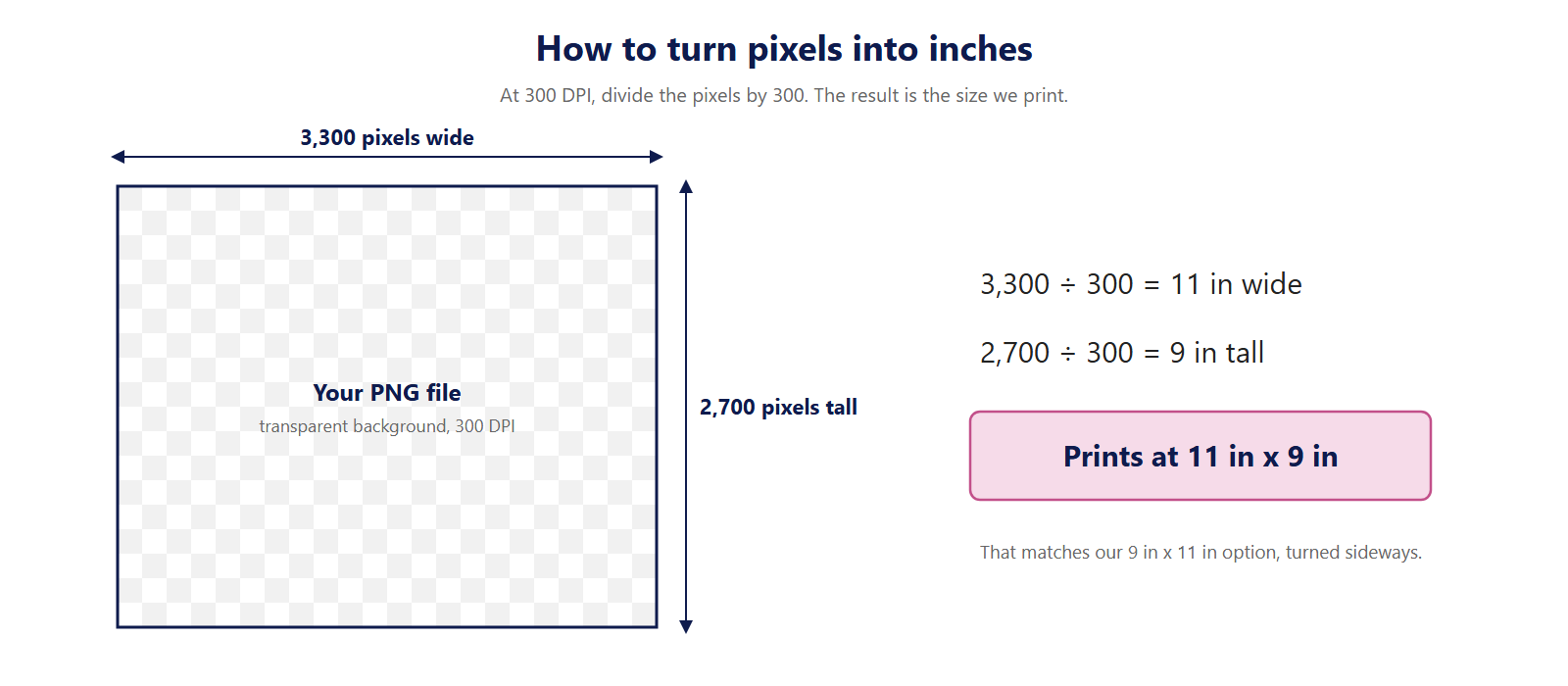
- How to check your file size: at 300 DPI, divide the pixel count by 300 and you get inches. A file 3,300 pixels wide and 2,700 pixels tall comes out at 11" x 9". On Windows, right-click the file, open Properties, then Details. On a Mac, open it in Preview and pick Tools, then Adjust Size.
DTF transfer size chart by shirt size
These numbers are the front print width. Your design sets the height.
| Shirt size | Common print width | File sizes you can order from us |
|---|---|---|
| Baby, 0 to 18 months (onesie) | 4" to 6" | 4" x 2", 4" x 4", 4" x 6", 5" x 3", 5" x 5", 6" x 4", 6" x 6" |
| Toddler, 2T to 5T | 5" to 7" | 5" x 3", 5" x 5", 6" x 4", 6" x 6", 7" x 7" |
| Youth, XS to XL | 7" to 9" | 7" x 7", 8" x 8", 9" x 9", 9" x 11" |
| Adult, S to XL | 10" to 12" | 10" x 10", 11" x 5", 11" x 9", 11" x 11", 12" x 14" |
| Adult, 2XL and up | 12" to 14" | 12" x 14", 14" x 4", 14" x 12" |
File sizes read width x height, in inches. Each matches a By Size option exactly, in either orientation (so 11" x 9" is just our 9" x 11" option rotated). When "Gang sheet" appears, no By Size option fits that shape. The options come from our DTF transfers by size page.
DTF transfer size chart by placement
| Placement | Adult | Youth | Adult file sizes to order | Youth file sizes to order |
|---|---|---|---|---|
| Left chest logo | 3.5" to 4" | 2.5" to 3.5" | 4" x 2", 4" x 4" | 3" x 3" |
| 3" to 4" | About 3" | 3" x 3", 4" x 2", 4" x 4" | 3" x 3" | |
| Full front | 10" to 12" | 7" to 9" | 10" x 10", 11" x 5", 11" x 9", 11" x 11", 12" x 14" | 7" x 7", 8" x 8", 9" x 9", 9" x 11" |
| Full back | 11" to 13" | 7" to 10" | 11" x 5", 11" x 9", 11" x 11", 12" x 14" | 7" x 7", 8" x 8", 9" x 9", 9" x 11", 10" x 10" |
| Upper back name strip | 10" to 12" wide, 2" to 4" tall | 8" to 10" wide, 2" to 4" tall | 10" x 3", 12" x 3" | 10" x 3" |
| Short sleeve | 2.5" to 3.5" | 2" to 2.5" | 3" x 3" | 2" x 2" |
| Long sleeve, down the arm | 2.5" to 4" wide, 10" to 12" tall | - | 3" x 10", 3" x 12" | - |
| Inside neck label | 2" to 3" | 1.5" to 2.5" | 2" x 2", 3" x 3" | 2" x 2" |
| Hoodie front | 10" to 12" | - | 10" x 10", 11" x 5", 11" x 9", 11" x 11", 12" x 14" | - |
| Tote bag | 10" to 12" | Not used | 10" x 10", 11" x 5", 11" x 9", 11" x 11" | - |
| Hat or cap front | 3.5" to 5" wide, up to 2.5" tall | - | 4" x 2" | - |
Numbers are width, in inches, unless a cell says otherwise. File sizes read width x height, in inches, and each one matches a By Size option exactly in either orientation (for instance, 11" x 9" is our 9" x 11" option turned sideways). "Gang sheet" tells you none of our By Size options fits that shape.
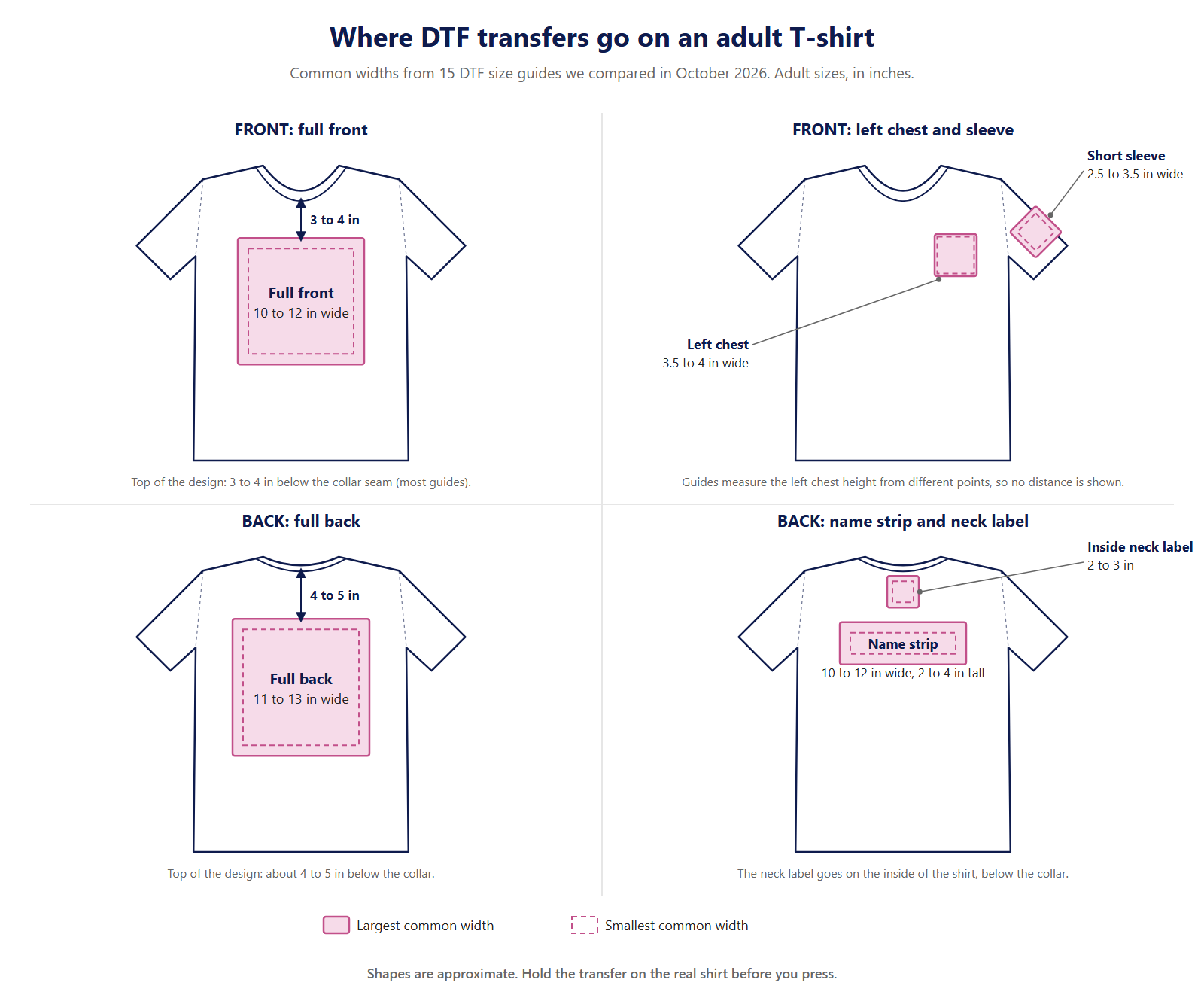
Where to place a DTF transfer
- Adult front: put the top of the design 3 to 4 inches below the collar seam. A tall design may need to sit a little higher.
- Youth front: roughly 2 to 3 inches below the collar.
- Back: roughly 4 to 5 inches below the collar.
- Left chest: put the top of the logo 7 to 9 inches down from the left shoulder seam on adult shirts, and 4 to 6 inches on youth shirts. Shirts are cut differently, so treat these as starting points. Before you press, hold the transfer against the real shirt and look at it in a mirror.
- Centering: fold the shirt lengthwise in half and press in a light crease. That crease marks your center.
Once the placement looks right, press using our DTF heat press settings.
How to pick between two sizes
- Wide or tall? A short, wide design is allowed to run wider than the chart. It can go up to 14 inches if it is not very tall. A square or round design can go a little smaller, since it already covers more of the shirt.
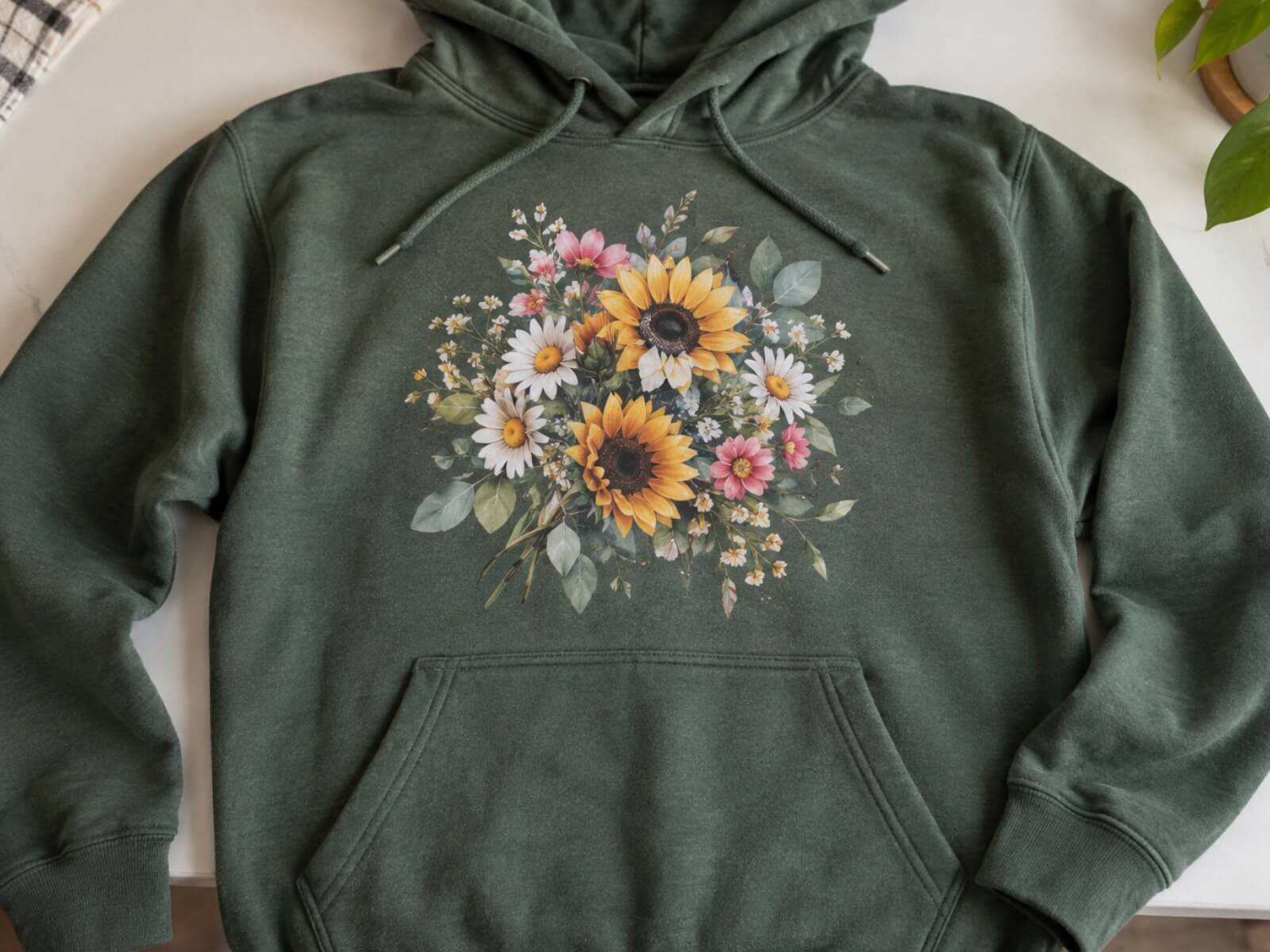
- Hoodies: go half an inch to an inch bigger on a hoodie than on a tee. Position the design above the front pocket and clear of thick seams.
- Fine text: small lettering needs breathing room. When a logo has fine text, keep to the top of the range (4 inches for a left chest).
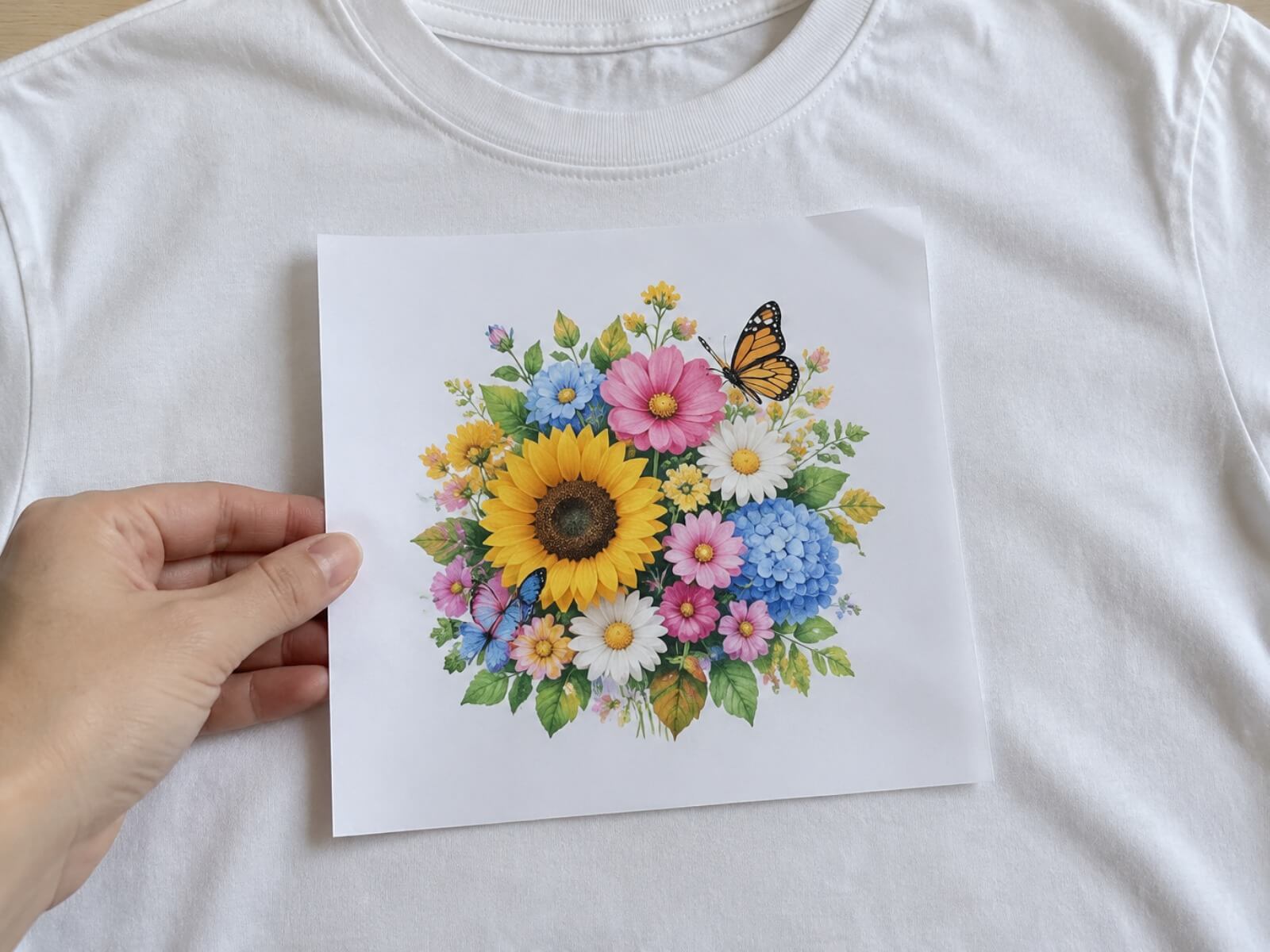
- Still not sure? Print the design on paper at full size, cut it out, and hold it against the shirt. Two minutes of work, and you see the real size before ordering.
Ordering these sizes
One design, a few pieces: DTF transfers by size come in 20 ready-to-press sizes, from 2" x 2" at $0.95 up to 12" x 17", with no order minimum. Orders confirmed Monday through Friday go into production within 24 hours. Shipping time is separate.
Many designs, or a file that does not match a By Size option on both sides (either way up): place them on a custom gang sheet. Sheets are all 24 inches wide, and you pay by the length, starting at $0.35 per inch. When you need ten or more pieces at the same size, a gang sheet comes out cheaper per piece.
Files: PNG is what we prefer. PDF, AI and PSD files work too. Give us 300 DPI and a transparent background, and your file prints at the size you upload it.
DTF transfer size questions
What size DTF transfer should I use for an adult T-shirt?
An adult full-front design is 10 to 12 inches wide. We print your file at the size you upload, so pick the By Size option that matches your file on both sides. For a front, the matching file sizes (width x height) are 10" x 10", 11" x 5", 11" x 9", 11" x 11" or 12" x 14". If your file does not match any available By Size option in both width and height, in either orientation, use a custom gang sheet.
What size DTF transfer should I use for a 2XL or 3XL shirt?
Go up to 12 to 14 inches wide. The matching By Size file sizes (width x height) are 12" x 14", 14" x 4" or 14" x 12". If your file does not match any available By Size option in both width and height, in either orientation, use a custom gang sheet, which is 24 inches wide.
What size DTF transfer is best for a youth shirt?
Youth front prints are usually 7 to 9 inches wide, and a youth left chest logo is 2.5 to 3.5 inches. For the front, the matching By Size file sizes (width x height) are 7" x 7", 8" x 8", 9" x 9" or 9" x 11".
What size DTF transfer should I use for a toddler shirt or a baby onesie?
Toddler shirts (2T to 5T) usually take a design 5 to 7 inches wide, and baby onesies (0 to 18 months) 4 to 6 inches. For toddlers, the matching By Size file sizes (width x height) are 5" x 3", 5" x 5", 6" x 4", 6" x 6" or 7" x 7". For babies, they are 4" x 2", 4" x 4", 4" x 6", 5" x 3", 5" x 5", 6" x 4" or 6" x 6".
What size is a left chest or pocket DTF transfer?
A left chest logo is usually 3.5 to 4 inches wide on an adult shirt, and a pocket print 3 to 4 inches. For an adult left chest, the matching By Size file sizes (width x height) are 4" x 2" or 4" x 4". For youth shirts, it is 3" x 3".
What size DTF transfer should I use for the back of a shirt or hoodie?
A full back print is usually 11 to 13 inches wide on an adult shirt and 7 to 10 inches on a youth shirt. For an adult back, the matching By Size file sizes (width x height) are 11" x 5", 11" x 9", 11" x 11" or 12" x 14". If your file does not match any available By Size option in both width and height, in either orientation, use a custom gang sheet.
What size DTF transfer should I use on a hat?
Caps take a transfer 3.5 to 5 inches wide and no more than 2.5 inches tall. Measure the front panel of your hat first and pick a size that fits inside it. Our 4" x 2" By Size option is in that range.
Where should I place a DTF transfer on the front of a shirt?
Put the top of an adult front design 3 to 4 inches below the collar seam, and about 2 to 3 inches below on youth shirts. Fold the shirt in half lengthwise to find the center line.
What file should I send for DTF transfers by size?
PNG is our preferred format. We also accept PDF, AI and PSD files. Files need 300 DPI and a transparent background. We print the file at the size you upload, so make it the same width and height as the size you order.
Updated October 2026.